
This guide is for informational purposes only. We are not affiliated with any brand mentioned.
▶ Quick Summary — Ricoh SC 302 Error
- What it is: A charge corona output error or charge roller current leak — part of Ricoh’s 3xx image development series
- Most common cause: Dirty or damaged charge roller, loose PCU contacts, or toner inside the corona assembly
- First step: Full 60-second power cycle — clears transient errors without any disassembly
- Quick fix: Clean the charge roller with a dry lint-free cloth and reseat the PCU
- If it keeps returning: Replace the charge roller; if still persists, the High Voltage Supply Board (HVSB) may need testing
- Reset method: Power off and back on after fixing — SP mode reset only needed on some older Aficio models
- When to call a technician: If the error returns after roller replacement, or the HVSB needs voltage testing
Your Ricoh printer has stopped, the display is showing SC 302, and the machine won’t do anything until the error is cleared. It can feel like a serious hardware failure — and depending on the cause, it sometimes is — but SC 302 is also one of those codes that clears completely with a simple cleaning or connection check, once you understand what the machine is actually telling you.
This guide explains exactly what SC 302 means on Ricoh printers, why it appears, and what to do first before assuming hardware needs to be replaced. The fixes are presented in order from the simplest to the most involved, so you can work through them methodically without skipping straight to expensive parts. If you are working through a separate error code on a Xerox device at the same time, our guide on Xerox error code 024-747 covers that fault separately.
What Does Ricoh SC 302 Actually Mean?
Before doing anything else, it helps to understand what this code is pointing to — because it directly determines which part of the machine you need to inspect.
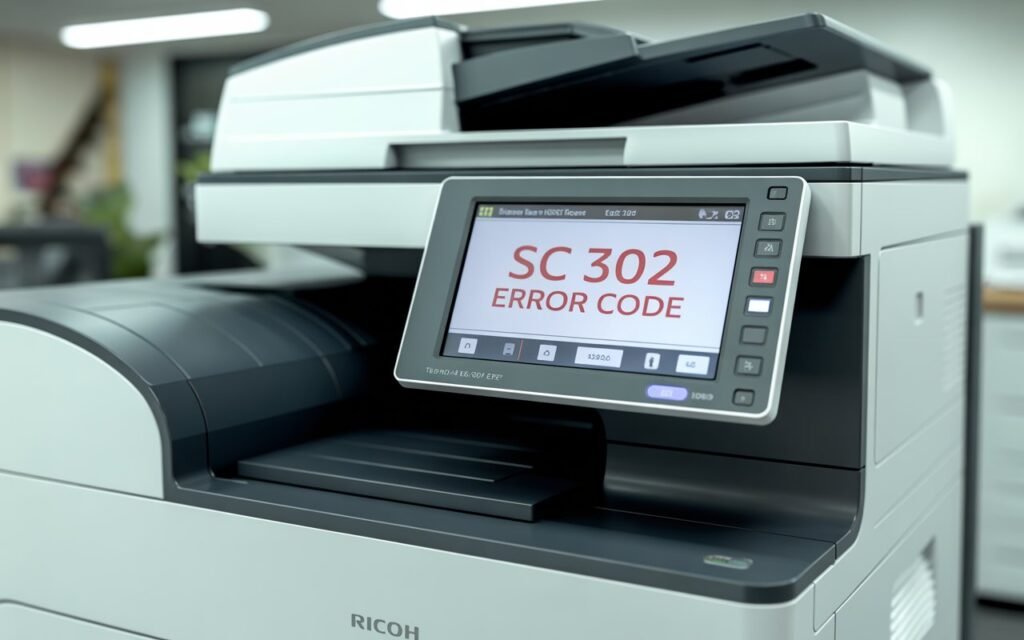
SC 302 belongs to Ricoh’s 3xx error code series, which covers image development and charge system faults. Specifically, SC 302 indicates a charge corona output error or charge roller current leak — meaning the machine has detected an abnormal electrical condition in the component responsible for placing an electrostatic charge on the drum before toner is applied.
Here’s a plain-language breakdown of what that means: the charge roller (or charge corona wire, depending on your model) applies a precise electrical charge across the surface of the drum unit before each print cycle. If the machine detects that this charge is leaking, absent, or outside the expected range — even briefly — it stops the print cycle and logs SC 302 to prevent the drum from being damaged or prints from coming out corrupted.
The exact sub-code tells you more about the specific fault:
- SC 302-00 — Charge roller current leak detected; no qualifying condition specified
- SC 302-01, 02, 03, 04 — Charge corona assembly fault (specific to Aficio 550/650 and similar series, referencing different detection stages)
- On colour models (such as Aficio SP C series), SC 302 may also identify which colour station is affected — cyan (C), magenta (M), yellow (Y), or black (K)
Common Causes of SC 302 on Ricoh Printers
Understanding what triggers the error makes the troubleshooting sequence much more logical. The most frequently reported causes across Ricoh Aficio, MP, SP, and IM series models include:
- Dirty or contaminated charge roller — toner particles and paper dust accumulate on the roller surface over time, disrupting the electrical contact and causing intermittent current leakage readings
- Damaged or worn charge roller — a charge roller that has developed surface cracks, flat spots, or significant wear will produce an inconsistent charge, triggering the error
- Broken or dirty corona wire — on older Ricoh models that use a corona wire rather than a roller for drum charging, a broken wire or toner-coated wire causes the same fault
- Poor PCU connection — the PCU (Photo Conductor Unit) connects to the high voltage supply board via a set of electrical contacts; if these are dirty, bent, or not fully seated, SC 302 can appear even when the charge roller itself is fine
- Toner contamination inside the charge unit — on models with a corona assembly, toner falling into the unit can gum up the motor that drives the cleaning mechanism, causing the error
- Missing or displaced component on the PCU — particularly relevant on colour models after a PCU replacement; a small coupling or retaining piece out of position causes the error immediately on startup
- Defective High Voltage Supply Board (HVSB) — less common, but the board that generates the charge voltage can fail and cause a persistent SC 302 that doesn’t respond to cleaning or component replacement
What to Do First — Before Any Disassembly
Two things are worth trying before opening the machine. They take under five minutes and resolve a meaningful number of SC 302 errors on their own.
Step 1: Perform a Full Power Cycle
SC 302 can sometimes appear after a power interruption or a print job that stopped mid-cycle, leaving the machine in an error state that doesn’t reflect an ongoing physical fault. A proper power cycle — not just pressing the power button — clears this.
- Press the main power switch to turn the machine off.
- Unplug the power cord from the wall outlet entirely.
- Wait a full 60 seconds before plugging it back in. This allows residual charge in the capacitors to discharge completely.
- Power the machine back on and allow it to complete its full startup cycle.
If the error clears and doesn’t return, the fault was transient — likely a momentary current spike or a power interruption during a print cycle. If it returns immediately on startup, the underlying cause is still present and the steps below are needed.
Step 2: Check the PCU Is Properly Seated
Before any cleaning or component inspection, open the front cover and check that the PCU (Photo Conductor Unit — the drum assembly) is fully and correctly seated in its slot. A slightly dislodged PCU is a common cause of SC 302, particularly if the machine was recently moved, had a paper jam cleared, or had maintenance work done.
- Open the front access cover of the printer.
- Locate the PCU — it’s the large cylindrical drum assembly, usually dark green or blue-grey in colour.
- Press it firmly into its slot until it clicks or locks into position.
- Also check the electrical contacts on the back of the PCU and the corresponding contacts inside the machine — clean any visible toner residue with a dry lint-free cloth.
- Close the cover and power the machine on.
At this point, a significant number of SC 302 errors — particularly those that appeared after a paper jam or a PCU replacement — will have cleared. If not, continue below.
How to Fix Ricoh SC 302 Error — Step-by-Step
Fix 1: Clean the Charge Roller
A dirty charge roller is the single most common cause of SC 302 on mid-range Ricoh laser and multifunction models. Toner dust and paper debris accumulate on the roller surface and create resistance that the machine reads as a current leak.
The charge roller sits directly alongside the drum inside the PCU on most models. On some Ricoh designs it’s accessible without full PCU removal; on others, removing the PCU gives better access.
- Power the machine off and unplug it from the wall.
- Open the front cover and carefully remove the PCU by pulling it straight out along its rail.
- Locate the charge roller — it sits parallel to the drum, typically a darker rubber roller positioned just above it.
- Using a dry lint-free cloth, very gently wipe along the length of the charge roller. Do not use solvents, alcohol, or water on the roller — these can damage the rubber compound and worsen the leakage problem.
- Also wipe the metal shaft ends of the roller where they contact the PCU housing — this is where electrical contact is made and where toner buildup causes resistance.
- Reinstall the PCU, close the cover, and power the machine on.
Fix 2: Clean the Charge Corona Assembly (Corona Wire Models)
Older Ricoh Aficio models — including the 550, 650, and similar series — use a corona wire rather than a roller to charge the drum. On these models, SC 302-01 through SC 302-04 specifically indicates a corona assembly fault. Toner contamination inside the corona housing is the most common cause, and it’s often fixable with careful cleaning.
- Power the machine off and unplug it.
- Open the front cover and locate the charge corona unit — it’s typically at the lower-left area of the machine, secured by a hand-turned screw and a cable connector that resembles a telephone plug.
- Disconnect the cable and unscrew the unit to remove it.
- Use compressed air to blow out any toner dust from inside the corona housing. Hold the unit away from your face and blow toward a safe direction.
- Check the corona wire itself — it is extremely fine, hair-thin, and fragile. If it appears broken or is clearly missing, the corona assembly will need to be replaced. Do not attempt to reattach a broken corona wire.
- If the wire is intact, also remove the end cap of the unit and check that the small motor that drives the corona cleaner along the wire is not gummed up with toner. A drop of light machine oil on the motor shaft can free a sticky mechanism.
- Reassemble, reconnect, and power the machine on.
Fix 3: Inspect and Clean the Electrical Contact Points
The charge system in a Ricoh printer relies on a chain of electrical contacts — from the High Voltage Supply Board, through spring-loaded connectors in the machine frame, to the PCU contacts, and finally to the charge roller or corona wire. Any oxidation, toner residue, or bent contact in this chain can cause the charge voltage to drop below threshold and trigger SC 302.
- With the machine powered off and unplugged, remove the PCU.
- Inspect the contacts on the rear face of the PCU — these are typically small copper or gold-coloured pads or spring contacts. Clean any visible residue with a dry lint-free cloth.
- Locate the corresponding contacts inside the machine’s PCU slot — small spring-loaded contact pins or pads that press against the PCU when it’s installed. Clean these as well.
- Check that none of the spring contacts are bent, compressed, or flattened. A contact that doesn’t spring back to its proper position won’t make reliable electrical contact.
- If toner has built up heavily on the contacts, a single very light pass with a cotton swab lightly dampened with isopropyl alcohol (70% or higher) can be used on the metal contacts only — allow to dry fully before reinstalling the PCU.
- Reinstall the PCU and test.
Fix 4: Check the PCU for Missing or Displaced Components (After Recent Replacement)
If SC 302 appeared immediately after a PCU replacement, the most likely cause is a small coupling piece or retaining component that wasn’t transferred from the old unit or wasn’t included with the new one.
On Ricoh colour models such as the SP C411dn and similar, there is a small white plastic coupling piece on one end of the PCU that engages a drive gear inside the machine. If this piece is missing, the machine detects that the charge system cannot rotate properly and flags SC 302 immediately on startup.
- Remove the newly installed PCU and compare it visually against the old one (if still available) or against a diagram in the service manual for your specific model.
- Check both end caps for any plastic drive coupling, gear, or retaining collar that may be missing.
- If a component is missing from the new PCU, it can often be transferred from the old unit if the old PCU is otherwise intact.
- Reinstall the correctly assembled PCU and test.
Fix 5: Replace the Charge Roller
If cleaning the charge roller hasn’t resolved the error and the roller shows visible damage — surface cracks, flat spots, a swollen appearance, or significant wear — replacement is the appropriate next step. A damaged charge roller cannot be repaired by cleaning and will continue triggering SC 302.
The charge roller is a consumable component on most Ricoh models and is available as a standalone replacement part or as part of a maintenance kit. When purchasing a replacement:
- Confirm the part number against your specific printer model — charge rollers are not universally interchangeable across Ricoh’s product range
- Handle the new roller by its shaft ends only — contact with the rubber surface before installation can introduce contamination that shortens its service life
- Replace the charge roller and drum unit together if the drum is already at or past its rated page count, as a new charge roller against a worn drum can produce uneven charge distribution
Fix 6: Check and Replace the High Voltage Supply Board (HVSB)
If SC 302 persists after cleaning, contact inspection, and charge roller replacement, the High Voltage Supply Board (HVSB) is the remaining likely cause. This is the board that generates the precise high voltage the charge roller needs to function — if it’s producing incorrect voltage or no voltage at all, the charge roller will trigger a fault regardless of its physical condition.
Diagnosing the HVSB properly requires a multimeter to test the output voltage at the charge roller contact point and compare it against the specification in the service manual for your model. If the voltage is absent or significantly out of spec, the board needs to be replaced.
HVSB replacement is a more involved repair that requires opening the machine’s frame panels and handling multiple electrical connections. If you’re not comfortable with this level of disassembly, this is the point at which involving a qualified Ricoh technician is the practical choice — particularly if the machine is still within its service contract.
How to Reset SC 302 After Fixing the Cause
On most Ricoh models, SC 302 clears automatically when the machine is powered off and back on after the underlying cause has been resolved. If the error clears on power-up, the fix was successful.
On some models — particularly older Aficio and IM series — the error may require a manual reset through the Service Program (SP) mode. The procedure varies by model, but a commonly reported sequence for affected Ricoh Aficio models is:
- With the machine on and the error displayed, press Clear Mode.
- Press 1, 0, 7 on the numeric keypad.
- Press and hold the Clear/Stop key for approximately 3 seconds until the SP menu appears on screen.
- Select Copier SP on the touchscreen.
- Enter 5810, 02 in the SP field, then press 1.
- Turn the main power switch off, wait 10 seconds, and turn it back on.
When SC 302 Requires a Technician
Most SC 302 errors can be resolved through the cleaning and inspection steps in this guide. A technician is the appropriate next step when:
- The error returns immediately after cleaning and a full power cycle, suggesting an ongoing hardware fault
- The charge roller is visibly damaged and requires replacement, but you’re not comfortable with PCU disassembly for your specific model
- The HVSB is suspected and voltage testing is required
- The machine is under a service contract, in which case the repair is likely covered
- The corona wire is broken on an older model — this is a delicate repair best handled by someone with experience on that specific unit
For model-specific documentation, Ricoh’s official support website provides access to service manuals, error code tables, and firmware downloads for current and legacy models. Entering your exact model name will surface any published technical notes related to SC 302 for that device.
Tips to Prevent SC 302 From Recurring
- Clean the charge roller during every drum replacement. The charge roller and drum work as a pair — replacing the drum while leaving a toner-contaminated roller in place is one of the most common reasons SC 302 appears shortly after a maintenance visit. Most Ricoh maintenance kits include a replacement charge roller for this reason.
- Use genuine Ricoh toner. Third-party toner formulations sometimes have a finer particle size or different charging properties than Ricoh’s own toner, which can lead to heavier contamination of the charge roller over time. Genuine Ricoh toner is formulated specifically for the charge system in each model.
- Clear paper jams carefully. Pulling torn paper fragments through the machine rather than removing them in the direction of paper travel is a common way to scatter toner directly into the charge assembly. Always remove jammed paper slowly and check that no pieces remain behind.
- Keep the machine in a clean, dust-controlled environment. Fine dust from construction, woodworking, or heavily trafficked areas accelerates contamination of the charge roller and corona assembly faster than normal office use.
- Schedule regular preventive maintenance. On high-volume Ricoh office models, a routine maintenance visit that includes cleaning the charge system every 100,000–150,000 pages prevents most charge-related SC codes before they occur.
Wrapping Up
Ricoh SC 302 looks serious when it appears, but it’s a well-defined fault with a clear diagnostic path. A contaminated charge roller, a dirty corona wire, or a poorly seated PCU connection resolves the error for the majority of users who encounter it. Hardware replacement — charge roller or HVSB — is the path for persistent cases, but it’s worth exhausting the cleaning and connection steps first.
Work through the fixes in order, confirm the root cause is addressed before attempting any error reset, and the machine should be back in service without needing a service call in most cases.
Frequently Asked Questions
What does Ricoh SC 302 mean?
SC 302 is a charge corona output error or charge roller current leak fault, part of Ricoh’s 3xx series covering image development and charge system problems. The machine has detected an abnormal electrical condition in the component that charges the drum before each print cycle — either a current leak from a damaged or contaminated charge roller, a fault in the charge corona assembly, or a connection problem between the PCU and the high voltage supply board. It is not a scanner motor error; scanner motor faults fall in Ricoh’s 1xx error series.
Can I reset SC 302 myself without a technician?
In many cases, yes — but only after addressing the underlying cause first. A power cycle (unplugging for 60 seconds) clears transient SC 302 errors that appeared due to a power interruption or momentary fault. For persistent errors, cleaning the charge roller or corona assembly and reseating the PCU resolves the issue for most users. An SP mode reset is available on some models for clearing the logged code after the fix, but resetting without fixing the cause will result in the error returning immediately.
Why did SC 302 appear right after I replaced the PCU?
The most common cause of SC 302 immediately after a PCU replacement is a missing or displaced small coupling piece on the PCU unit. On colour Ricoh models especially, a white plastic drive coupling on one end of the PCU engages a gear inside the machine — if it’s absent (not included on the new unit, or not transferred from the old one), the charge system can’t engage and SC 302 appears on startup. Compare the new PCU to the old one to check for any missing components before assuming the new unit is defective.
Is SC 302 a serious error — will it damage the drum?
The machine generates SC 302 specifically to prevent damage — it stops the print cycle when the charge voltage is out of range to avoid over-charging or under-charging the drum, which would cause print defects or permanent drum damage. As long as the machine is not forced through additional print cycles while the error is active, the drum is not typically affected by the error condition itself. The fix is about resolving what triggered the error, not repairing damage from it.
SC 302 keeps coming back even after I clean the charge roller — what next?
If the error returns after thorough cleaning, the charge roller likely has physical damage — surface cracking, wear, or hardening of the rubber — that cleaning can’t address. Replacing the charge roller is the next step. If SC 302 persists even after a new charge roller is installed, the High Voltage Supply Board (HVSB) is the remaining likely cause and will need to be tested with a multimeter and replaced if the output voltage is incorrect. At this stage, involving a Ricoh-certified technician is a practical choice.
Does SC 302 affect all Ricoh printer models the same way?
The error code and its general meaning are consistent across Ricoh’s laser and multifunction printer range, but the specific component involved varies by model. Older Aficio series models use a corona wire for drum charging; more recent MP, SP, and IM series models use a charge roller. The sub-code (SC 302-00, SC 302-01, etc.) and the colour station indicator on colour models provide additional specificity. Always refer to the service documentation for your exact model when replacing components, as part numbers are not universal across the Ricoh range.
Disclaimer: This article is provided for informational and educational purposes only. The fixes and procedures described are based on general knowledge of Ricoh printer systems and community-reported experiences. Results may vary by model and individual device condition. We are not affiliated with Ricoh Company Ltd. or any of its subsidiaries. Always consult your printer’s service manual or a qualified technician before performing repairs, particularly those involving internal components or high-voltage systems. If your device is under warranty or a service contract, contact your authorised service provider before attempting any repairs yourself.