
This guide is for informational purposes only. We are not affiliated with any brand mentioned.
▶ Quick Summary — Ricoh SC 410 Error
- What it is: A primary transfer roller contact or lift motor error — part of Ricoh’s 4xx transfer system series, specific to color MP C models
- Most common cause: ITB unit not fully seated, dirty transfer roller lift sensor, primary transfer roller wear, or a jammed lift mechanism
- First step: Full 60-second power cycle, then remove and firmly reseat the ITB unit
- Quick fix: Clean the transfer roller lift sensor and contact points; check the ITB unit is correctly locked in position
- If it keeps returning: Replace the primary transfer rollers; if still persisting, test the transfer belt contact motor and HVPS
- Reset method: SP mode reset via 107 + Clear/Stop after the underlying cause is resolved
- When to call a technician: If lift motor or High Voltage Power Supply (HVPS) replacement is required
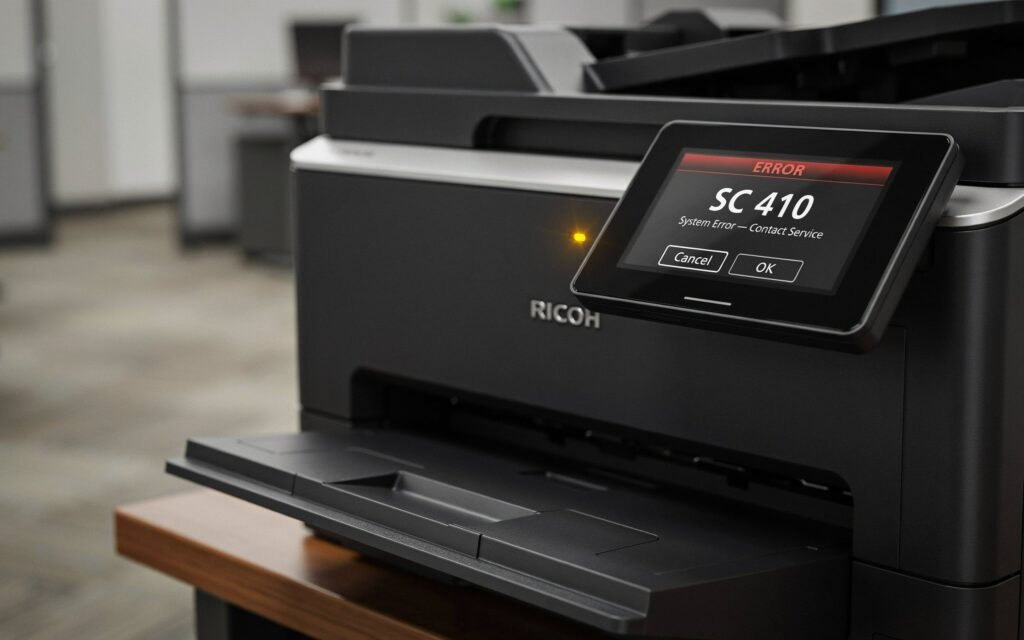
Your Ricoh color MP C series machine has locked up with SC 410 on the display and won’t resume printing until the error is cleared. If you’ve tried switching the power off and back on and the code returns every time, there’s a physical cause that needs to be identified — and it sits squarely in the primary transfer system.
SC 410 is a well-defined fault within Ricoh’s 4xx error code series, and on color MP C models it specifically involves the primary transfer rollers or the mechanism that moves them. This guide explains exactly what the code means, what causes it, and how to work through it — from a simple ITB reseat all the way to motor replacement if needed. If you are also dealing with a 3xx charge system error on the same or a different Ricoh unit, our guide on Ricoh SC 302 error code covers that fault separately.
What Does Ricoh SC 410 Mean?
SC 410 belongs to Ricoh’s 4xx series, which covers the entire transfer system — the components responsible for moving toner from the drums onto the Intermediate Transfer Belt (ITB) and then from the ITB onto paper.
Specifically, SC 410 on Ricoh color MP C series printers indicates a primary transfer roller contact error or transfer belt lift motor fault. To understand what that means in practice, a quick explanation of how the transfer system works on these machines helps enormously.
In a Ricoh color MP C printer, toner doesn’t go directly from the drum to paper. Instead, each colour — cyan, magenta, yellow, and black — is first transferred from its drum onto the Intermediate Transfer Belt (ITB), a continuous loop belt that carries all four layers of toner together to the secondary transfer point where they transfer onto paper in a single pass. The components that perform the first stage of this process are the primary transfer rollers — one per colour, positioned inside the ITB unit — which press the belt against each drum in sequence as it passes.
For the primary transfer to work correctly, these rollers must make and release contact with the drums at precisely the right moment. A small motor — the transfer belt contact motor — controls this lift-and-press movement, and a sensor monitors it. When the sensor detects that the movement didn’t complete within the expected time, or that the motor didn’t respond at all, the machine logs SC 410 and stops the print cycle.
The sub-codes provide additional detail on some models:
- SC 410-00 — General primary transfer roller contact error; lift motor did not reach the expected position
- SC 410-01 / SC 410-02 — Specific to individual colour stations on some MP C variants; identifies which transfer roller or colour unit is involved
Common Causes of SC 410 on Ricoh Color MP C Series
- ITB unit not fully or correctly seated — the most frequently reported cause; after a paper jam clearance or routine maintenance, the ITB unit can be slightly out of position, preventing the lift mechanism from engaging correctly
- Dirty or obstructed transfer roller lift sensor — the sensor that monitors the lift motor’s movement accumulates toner dust over time; when it can’t read the actuator position accurately, SC 410 fires even if the motor is working
- Worn or hardened primary transfer rollers — rollers that have degraded over high page counts develop inconsistent contact pressure, causing the machine to detect a failed lift cycle
- Transfer belt contact motor failure — the motor itself has seized, stalled, or lost torque and can no longer move the lift mechanism through its full range
- Toner or debris in the lift mechanism — toner accumulation in the physical lift gears or cam mechanism creates resistance that overloads the motor and triggers the error
- Damaged or disconnected harness connector — the wiring connection between the transfer belt contact motor and the main board can work loose, particularly after ITB unit removal and reinstallation
- High Voltage Power Supply (HVPS) fault — less common, but a failing HVPS can produce incorrect transfer bias voltages that cause the machine to report a transfer contact error even when the mechanical components are functioning
What to Do First — Before Any Disassembly
Step 1: Perform a Full Power Cycle
A complete power cycle — not a soft restart — clears transient SC 410 errors caused by a momentary sensor misread or a print job that stopped unexpectedly mid-cycle.
- Press the main power switch to power the machine off.
- Unplug the power cord from the wall outlet completely.
- Wait a full 60 seconds to allow internal capacitors to discharge.
- Reconnect and power on, allowing the machine to complete its full startup cycle.
If SC 410 doesn’t return after the power cycle, the fault was transient. Monitor the machine over the next few print jobs — if it comes back, a physical cause needs investigation.
Step 2: Remove and Reseat the ITB Unit
Before anything else, the ITB unit should be removed and reseated. At this point, this single step resolves a significant number of SC 410 errors — it’s the most common cause and the easiest to check.
- Open the front cover of the machine.
- Locate the ITB unit — the large transfer belt assembly that runs horizontally across the lower half of the machine interior. On most MP C models it has a handle or pull tab for removal.
- Pull the ITB unit straight out along its guide rails and set it on a clean, flat surface. Avoid tilting it — waste toner can spill from the cleaning unit if the ITB is turned on its side.
- Inspect the guide rails and the ITB unit’s locking mechanism for any visible debris or obstruction.
- Reinsert the ITB unit firmly along the rails until it clicks or locks into its fully seated position. On most MP C models there’s a lever or lock that must be turned to the locked position after insertion.
- Close the front cover and power the machine on.
How to Fix Ricoh SC 410 — Step-by-Step
Fix 1: Clean the Transfer Belt Lift Sensor
The transfer belt lift sensor monitors the actuator connected to the lift motor cam. Toner dust on the sensor face is one of the most reliable causes of SC 410 on machines with a history of normal use — the sensor misreads the actuator position and reports a failed movement even when the motor is functioning.
- Power the machine off and unplug it.
- Remove the ITB unit as described in Step 2 above.
- With the ITB unit removed, the lift sensor becomes accessible — it’s typically located near the ITB unit slot, on the machine’s interior wall. It’s a small optical or photoelectric sensor with a narrow slot or window.
- Use a dry lint-free cloth or a clean cotton swab to gently wipe the sensor face and the actuator flag that passes through it. Do not use compressed air directed into the sensor cavity — this can push toner further into the sensor housing.
- Also inspect the wiring harness connecting the sensor to the main board and confirm it’s fully seated at both ends.
- Reinstall the ITB unit, power on, and test.
Fix 2: Clean the Transfer Roller Contacts and Secondary Transfer Assembly
The secondary transfer roller — located on the right side cover of most MP C models — works alongside the ITB to transfer the complete colour image onto paper. Its spring-loaded contacts and roller surface accumulate toner over time, and a contaminated secondary transfer assembly can produce electrical conditions that cascade into SC 410 on some models.
- Open the right side cover of the machine — on most MP C models this swings outward and is held by a hinge or latch.
- Locate the secondary transfer roller — it’s the roller that presses against the ITB surface when the cover is closed.
- Wipe the roller surface with a dry lint-free cloth to remove toner buildup.
- Inspect the spring contacts on either end of the roller — clean any toner residue from the contact surfaces and confirm the springs are not flattened or bent out of position.
- Close the side cover firmly until it latches, then test.
Fix 3: Inspect the ITB Unit for Damage or End-of-Life Condition
Ricoh’s Intermediate Transfer Belt has a rated page life — typically in the range of 100,000 to 150,000 pages depending on the model and usage pattern. When the belt reaches or passes the end of its rated life, several things can happen: the belt surface degrades, the internal frame components wear, and the lift mechanism that moves the primary transfer rollers may no longer function reliably.
With the ITB unit removed, inspect it for:
- Belt surface damage — cracks, tears, punctures, or areas where the belt surface has worn through to a different texture or colour
- Edge wear — fraying or separation along the belt edges, which causes the belt to run unevenly and misalign the lift mechanism
- Cleaning unit condition — the waste toner box on the ITB unit should not be overfull; a full cleaning unit can cause belt drag that stresses the lift motor
- Internal rollers — spin each internal roller by hand (where accessible) to check for stiffness or grinding, which indicates bearing wear
If the ITB unit shows physical damage or is beyond its rated page count, replacement is the appropriate fix. An ITB unit that’s been physically damaged cannot be repaired, and continuing to use it typically leads to worsening SC 410 occurrences alongside print quality degradation.
Fix 4: Check and Clean the Lift Motor Mechanism
The transfer belt contact motor drives a cam and gear mechanism that physically lifts the primary transfer rollers into contact with the drums. Toner dust and degraded lubricant in this mechanism create friction that the motor can’t overcome, causing it to stall mid-movement and trigger SC 410.
- With the ITB unit fully removed and the machine powered off, locate the lift motor mechanism — it’s typically mounted on the machine’s interior left or rear wall, accessible once the ITB unit is out of the way.
- Inspect the cam and gear train visually for toner accumulation, hardened grease, or visible mechanical damage.
- Use a dry cloth or soft brush to remove loose toner and debris from the gear surfaces.
- If the gears are dry or the mechanism feels stiff when moved by hand, a small amount of appropriate machine lubricant applied to the gear teeth and cam surface can restore smooth operation. Use only a minimal amount — excess lubricant attracts toner and creates the same problem over time.
- Check the connector attaching the lift motor wiring harness to the main board — disconnect and reconnect it to ensure good contact.
- Reinstall the ITB unit and test.
Fix 5: Replace the Primary Transfer Rollers
Primary transfer rollers wear gradually with use. As the rubber surface hardens or develops flat spots, the contact pressure between the roller and the ITB belt becomes uneven — which the machine interprets as a failed lift cycle. On machines with high page counts, roller wear is a common underlying cause when cleaning and reseating haven’t resolved SC 410.
Primary transfer rollers on Ricoh color MP C models are typically sold as a set of four (one per colour station) or as part of a transfer unit maintenance kit. When replacing:
- Confirm the correct part number for your specific MP C model — roller specifications vary across the C2003, C2503, C3003, C3503, C4503, C5503, and C6003 series
- Replace all four rollers together — replacing only one or two on a machine with high mileage leaves mismatched contact pressures across the colour stations
- Handle new rollers by their shaft ends only; contact with the rubber surface introduces contamination that shortens service life
- After replacement, run a colour test print and check that all four colours are transferring evenly
Fix 6: Replace the Transfer Belt Contact Motor
If the lift mechanism is clean, the sensor is clean, the ITB is properly seated, and the error persists, the transfer belt contact motor itself may have failed. A motor that has seized, lost torque, or developed an intermittent electrical fault cannot be repaired — it needs replacement.
Signs that point toward a motor fault rather than a mechanical or sensor issue include:
- SC 410 appearing immediately on startup before any print job is sent, suggesting the motor can’t complete its initialisation movement
- The error persisting through a fresh ITB unit and new primary transfer rollers
- No mechanical resistance in the lift gear train — the mechanism moves freely by hand, but the motor still triggers the error under power
The transfer belt contact motor is a board-mounted component on the machine’s frame. Replacement requires partial disassembly of the machine interior and is a repair best carried out by a technician familiar with the specific MP C model, or by someone comfortable working from the service manual for their machine.
Fix 7: Check the High Voltage Power Supply (HVPS)
The HVPS generates the bias voltages that the primary transfer rollers need to attract toner from the drums. A failing HVPS can produce incorrect or absent transfer voltages that the machine’s monitoring circuit interprets as a roller contact fault — generating SC 410 even when all mechanical components are in good condition.
Diagnosing the HVPS properly requires voltage testing at the transfer roller contact points using a multimeter, with the expected values referenced against the service manual for the specific model. If the measured output is absent or significantly outside spec, HVPS replacement is the fix.
As with the motor replacement, HVPS work is a repair for someone with service manual access and comfort with high-voltage systems inside the machine.
How to Reset SC 410 After Fixing the Cause
On most Ricoh MP C models, SC 410 clears automatically after the underlying fault is resolved and the machine is power-cycled. If the error has cleared at startup, the fix was successful.
On some models — particularly older Aficio MP C series — a manual SP mode reset is needed after the fix. A commonly reported reset sequence for affected models is:
- With the machine powered on, press Clear Mode.
- Enter 1, 0, 7 on the numeric keypad.
- Press and hold the Clear/Stop key for approximately 3 seconds until the SP menu appears.
- Select Copier SP on the touchscreen.
- Enter 5810 in the SP field, select 02, then press 1 to execute the reset.
- Power the machine off, wait 10 seconds, and power back on.
SC 410 on Specific Ricoh MP C Models
While the general cause and fix path above applies across the colour MP C series, a few model-specific patterns are worth noting:
Ricoh MP C2003 / MP C2503
On these models, SC 410 is frequently reported after paper jams that required reaching into the ITB area to clear — the ITB is often slightly displaced in the process. Reseating the ITB and cleaning the lift sensor resolves the majority of SC 410 cases on these units.
Ricoh MP C3003 / MP C3503
The C3003 and C3503 have a slightly different ITB locking mechanism — there’s a separate lever that must be rotated to the locked position after the ITB is inserted. A common mistake is inserting the ITB correctly but leaving the lever in the unlocked position, which causes the machine to report SC 410 because it detects the ITB as unseated. Always check that the locking lever is fully engaged after reinstalling the ITB on these models.
Ricoh MP C4503 / MP C5503 / MP C6003
On higher-volume models, SC 410 often appears in conjunction with SC 414 or SC 415 (other transfer system errors) on machines with significant page counts. When SC 410 appears alongside these related codes, the ITB unit itself — rather than individual rollers or the motor — is usually the component that needs replacement. A full ITB unit replacement resolves all three codes in these cases.
Tips to Prevent SC 410 From Recurring
- Follow correct ITB removal and reinstallation procedures. The most preventable cause of SC 410 is an ITB unit that isn’t fully seated after maintenance or paper jam clearance. Taking an extra 10 seconds to confirm the locking mechanism is fully engaged every time the ITB is touched eliminates the most common trigger entirely.
- Include the lift sensor in routine cleaning. During any service that involves removing the ITB unit, cleaning the transfer belt lift sensor with a lint-free cloth takes under a minute and prevents toner accumulation from building to the point where it causes false error readings.
- Replace the ITB unit proactively at its rated page count. Using an ITB unit significantly beyond its rated life increases wear on the primary transfer rollers and lift mechanism, making SC 410 progressively more likely. Tracking the page count and scheduling replacement at the recommended interval is more cost-effective than emergency replacement after a failure.
- Use genuine Ricoh consumables. Third-party toner formulations with different particle sizes or charging characteristics can cause heavier toner accumulation in the ITB assembly and lift mechanism over time, accelerating the conditions that trigger SC 410.
- Schedule preventive maintenance on high-volume machines. Ricoh color MP C models used at high monthly page volumes benefit from a scheduled maintenance visit that covers the full transfer system — ITB, primary and secondary transfer rollers, and lift mechanism cleaning — rather than waiting for an SC code to appear.
When to Check Ricoh’s Official Support
If SC 410 persists after working through all the fixes above, Ricoh’s official knowledge base provides model-specific documentation on transfer system errors, component part numbers for ITB units and primary transfer rollers, and error code detail for specific MP C variants. Ricoh’s KB is updated regularly as new model-specific technical notes are published.
For machines under a service contract, SC 410 that requires motor or HVPS replacement is typically covered — raising the issue with your service provider rather than attempting those repairs independently is the right path in that situation.
Wrapping Up
SC 410 is a specific, well-understood fault in Ricoh’s transfer system — and on color MP C series machines, the path from error to resolution follows a logical sequence. An unseated ITB unit or a dirty lift sensor accounts for the majority of cases and takes under ten minutes to check and fix. Worn rollers, a faulty lift motor, and HVPS problems are less common but equally well-defined, with clear replacement paths when the simpler fixes haven’t resolved things.
Work through the steps in order, confirm the root cause before attempting any SP mode reset, and the machine should be back producing full-colour output without the error recurring.
Frequently Asked Questions
What does Ricoh SC 410 mean on a color MP C printer?
SC 410 is a primary transfer roller contact error or transfer belt lift motor fault, belonging to Ricoh’s 4xx series which covers the full transfer system. On color MP C models, it specifically means the machine detected that the primary transfer rollers — the components that press the Intermediate Transfer Belt against each colour drum — did not complete their lift-and-contact movement within the expected timeframe. The most common cause is the ITB unit not being fully seated, followed by a dirty lift sensor or worn transfer rollers.
Can I fix SC 410 myself or does it need a technician?
The majority of SC 410 errors are fixable without a technician — reseating the ITB unit and cleaning the lift sensor resolve most cases and require no special tools. Worn primary transfer rollers can also be replaced by a careful user with access to the correct part number for their model. Transfer belt contact motor replacement and HVPS testing require more technical comfort and service manual access; a technician is the practical choice for those specific repairs.
Why does SC 410 appear right after clearing a paper jam?
Paper jam clearance on Ricoh color MP C printers often requires reaching into the ITB area or opening the right side cover, both of which can slightly displace the ITB unit. When the ITB is not fully reseated and locked after the jam is cleared, the machine detects a lift mechanism fault on the next startup and logs SC 410. The fix is to open the front cover, remove the ITB unit fully, and reinstall it with the locking lever or mechanism correctly engaged.
SC 410 keeps returning every few hundred pages — what’s the likely cause?
An intermittent SC 410 that clears on restart but keeps returning after a period of printing typically points to either worn primary transfer rollers or accumulated toner in the lift mechanism. A roller that works when cold but fails under heat and page volume produces this exact pattern. Replacing the full set of primary transfer rollers and thoroughly cleaning the lift gear and cam mechanism addresses both possibilities. If the error continues after roller replacement, the transfer belt contact motor is the next component to investigate.
Is SC 410 the same as SC 414 or SC 415?
They are related but distinct. All three fall in Ricoh’s 4xx transfer system series and can appear together on the same machine, particularly on high-volume MP C units. SC 410 specifically involves the primary transfer roller contact system. SC 414 and SC 415 relate to specific colour station transfer bias faults or secondary transfer abnormalities depending on the model. When all three appear together, the ITB unit itself — rather than individual rollers or motors — is usually the failing component, and full ITB replacement resolves all three codes simultaneously.
How do I access SP mode to reset SC 410 on a Ricoh MP C series?
The standard SP mode entry sequence on most Ricoh MP C series models is: press Clear Mode, enter 107 on the numeric keypad, then press and hold Clear/Stop for approximately 3 seconds until the service menu appears. From there, select Copier SP, navigate to SP 5810-02, and execute the reset. Power the machine off and on after the reset completes. This procedure should only be performed after the underlying fault has been fixed — resetting the code without resolving the cause will result in the error returning, sometimes immediately.
Disclaimer: This article is provided for informational and educational purposes only. The fixes and procedures described are based on general knowledge of Ricoh printer systems and publicly reported technical experiences. Results may vary by model and individual device condition. We are not affiliated with Ricoh Company Ltd. or any of its subsidiaries. Always consult your printer’s official service manual or a qualified technician before performing repairs, particularly those involving internal components, motors, or high-voltage systems. If your device is under warranty or a service contract, contact your authorised service provider before attempting any self-repair.